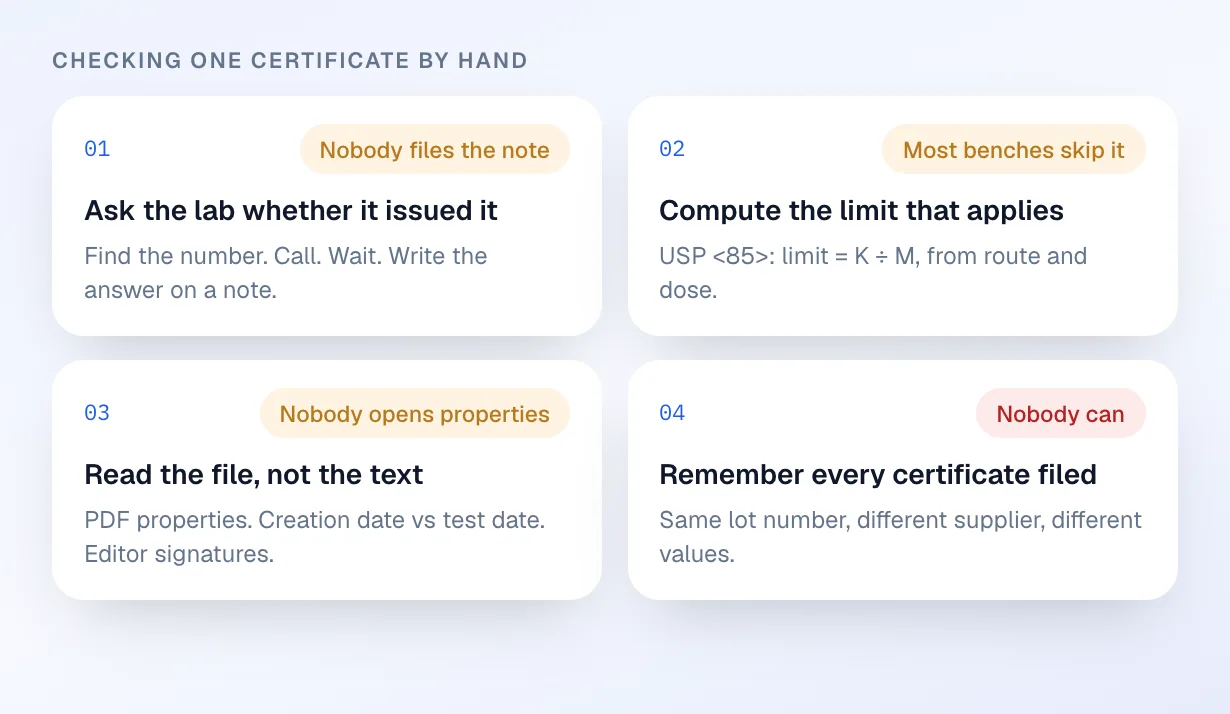
Four tasks, all skipped
Call the lab, compute the limit, open the file properties, remember every certificate ever filed. Almost no bench does all four.
 Demo Compounding Pharmacy
| Lot | Product | Supplier | Documents | Decision |
|---|---|---|---|---|
| 24C-123 | Semaglutide 2.5 mg/mL | Apex Peptide Labs | COAsliplabel | Cleared · J. Ortiz |
| 24C-118 | Semaglutide 2.5 mg/mL | Apex Peptide Labs | COA · slip · label | Cleared · J. Ortiz |
| 24C-121 | Tirzepatide 5 mg/mL | Northline API | COA · slip | Held · retest date |
| 24C-122 | Methylcobalamin 1 mg/mL | Northline API | COA · slip · label | Held · source not named |
No new reports match your suppliers. Last query 07:52.
ClearState board licence for Northline API renews in 21 days.
Reminder setDrafted a request to Northline for the manufacturer retest record. Waiting for you.
Held for youFor pharmacies that release lots on a supplier’s certificate: every one checked four ways, in minutes, without calling a lab.
Why the record matters
Every order of compounded medicine moves on paperwork someone decided to trust. Veritura turns that paperwork into one connected record: source, cited finding, human decision, lot, order, and public proof. When an inspector, a partner, or a patient asks how you know, the record answers with the exact page and line.
The problem
The law requires a valid certificate of analysis and names no way to check one. So the check is skipped.
Call the lab, compute the limit, open the file properties, remember every certificate ever filed. Almost no bench does all four.
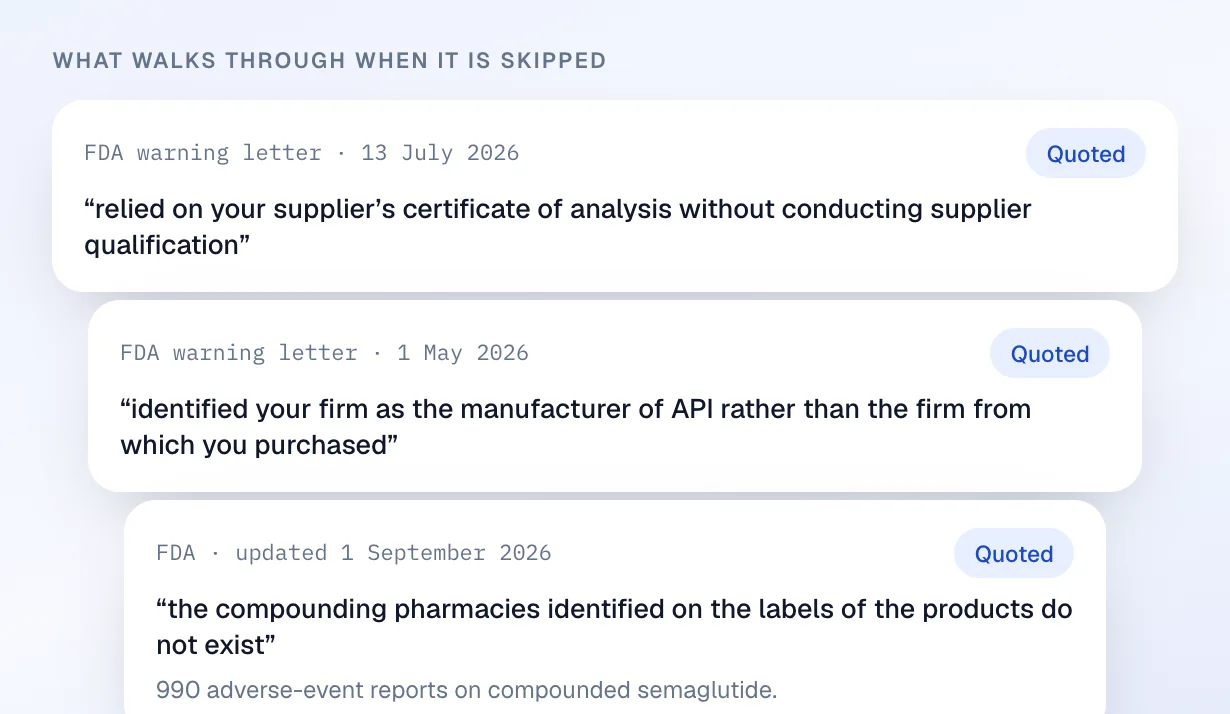
Three FDA letters from 2026: a supplier certificate relied on without qualification, a reseller named as manufacturer, label pharmacies that do not exist.
Platform
Four jobs done for you before the lot is released. You upload the certificate and sign the decision.
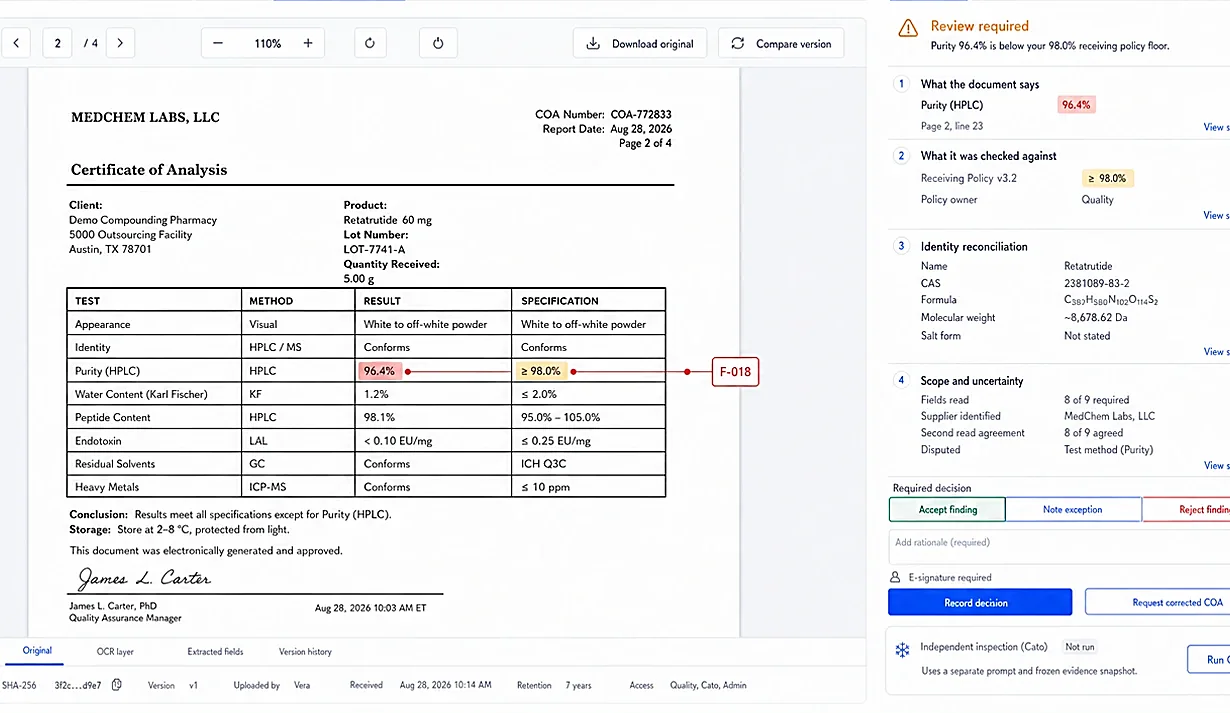
Document checks. Every page is read against the original file and named public sources in minutes. Any conflict becomes a finding that waits for you.
Learn more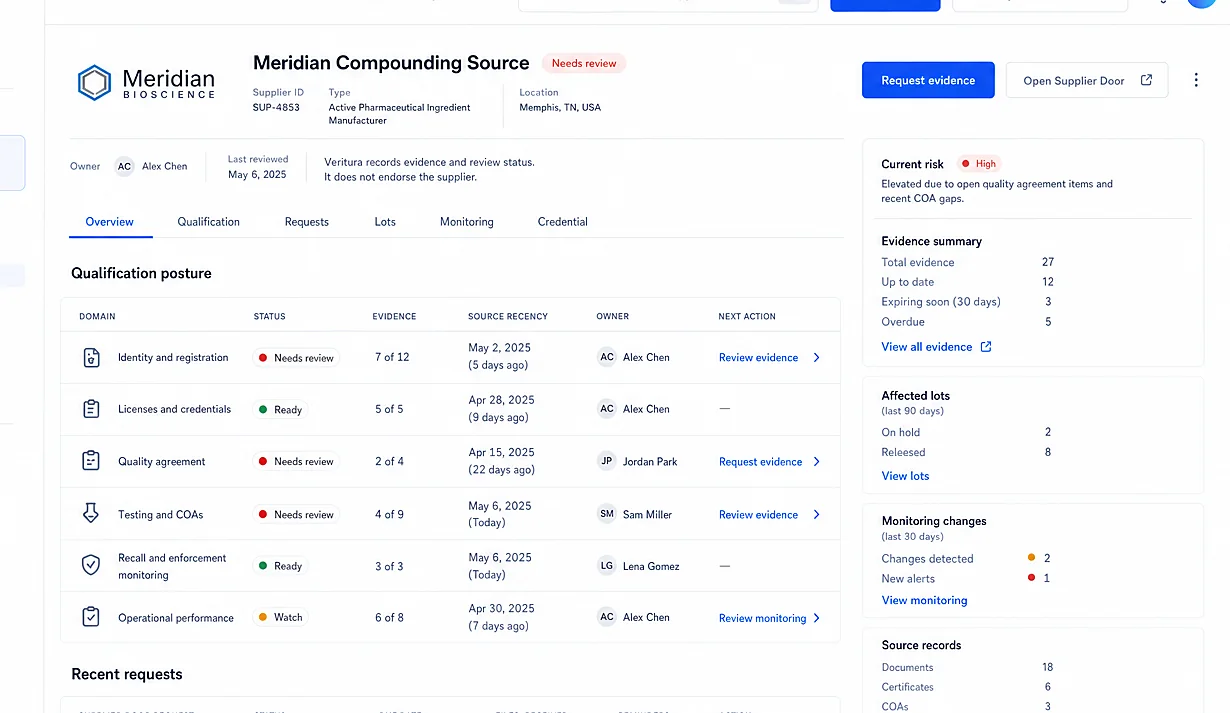
Supplier files. One living file per supplier, requests drafted for you, every gap with an owner and a date, qualification ending in a signed decision.
Learn more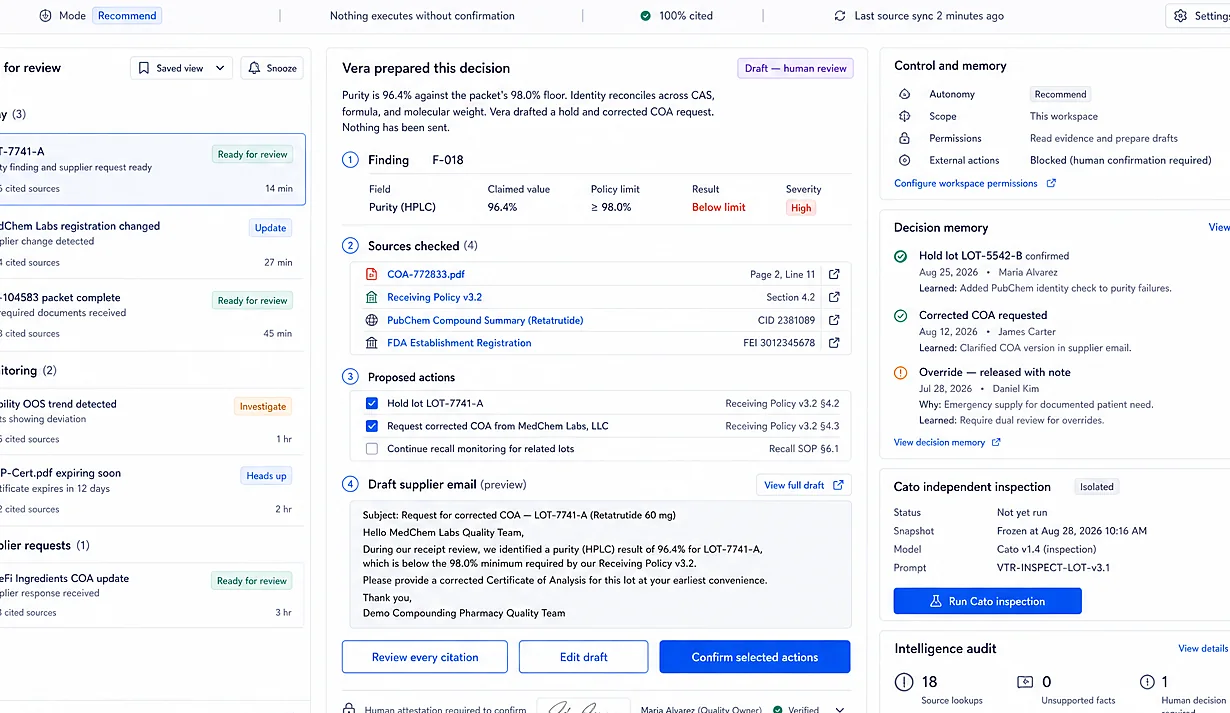
Vera and Cato AI. Vera reads the evidence while you are closed and leaves findings cited to page and line. Cato inspects the record before an inspector does.
Learn more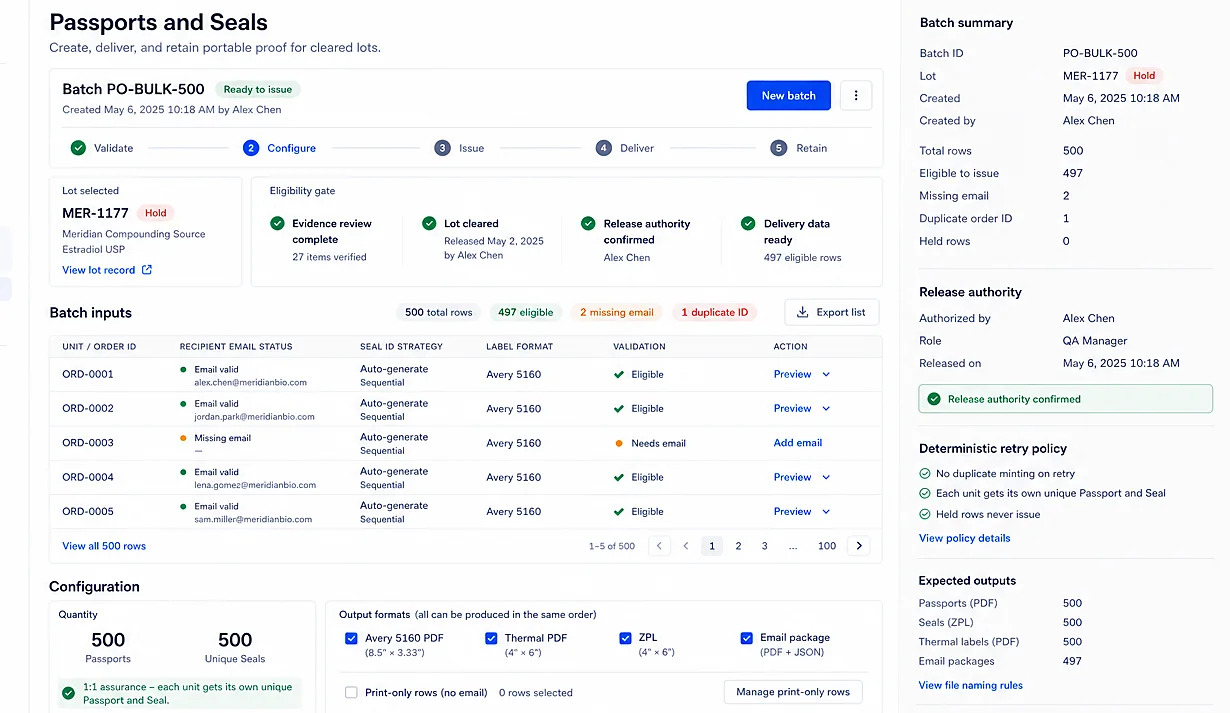
Passports and Seals. Every cleared order issues a serialized Passport that answers a printed QR scan for seven years, so the person holding the vial can see the record.
Learn moreEvery finding opens to the original file and exact citation.
External comparisons retain the source, query, and time checked.
Material decisions keep the reviewer, policy, reason, and signature.
Missing or uncertain evidence stays visible instead of becoming a pass.
Checked against named public sources

Federal and state law already demand a valid certificate of analysis. Nothing in the law says how anyone is supposed to check one.
Prove it yourself
A compounded tirzepatide release certificate read by the live product. Lot 222326, report ETX-260330-0276. Then the actual workspace at veritura.co/demo: read-only, open to anyone, nothing to install.
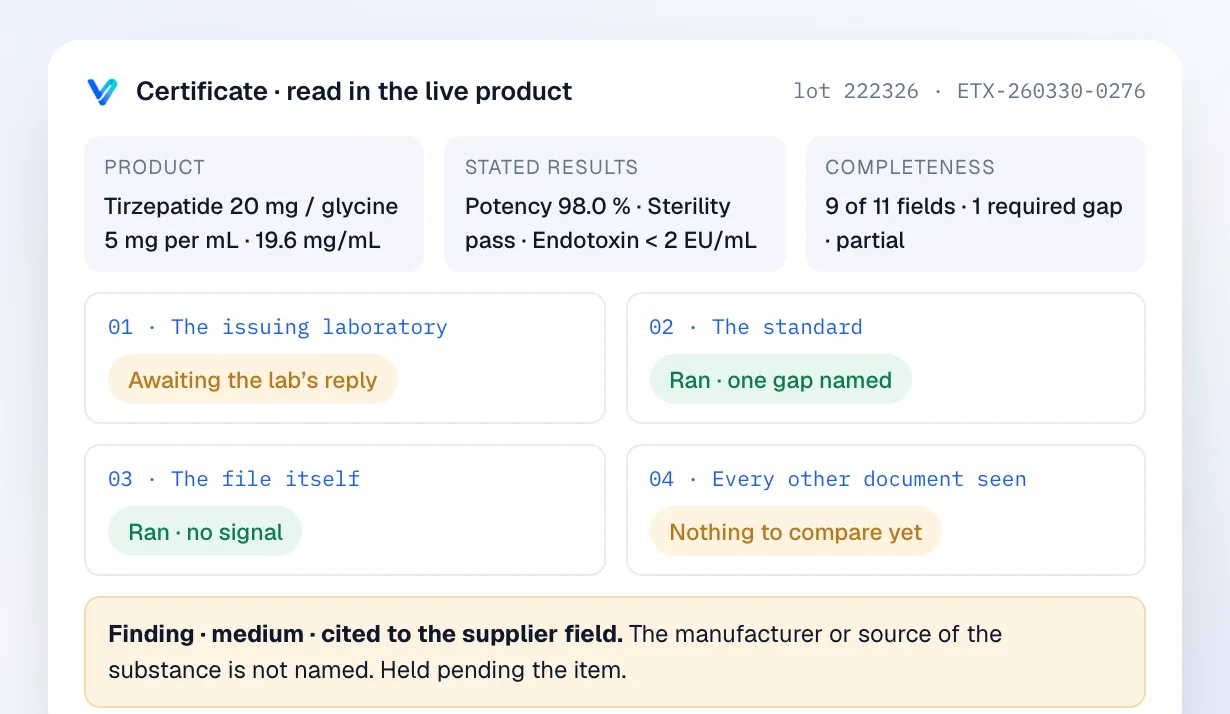
The laboratory is asked, the limit is computed, the file is read for forensic signals, and the unnamed manufacturer holds the lot.
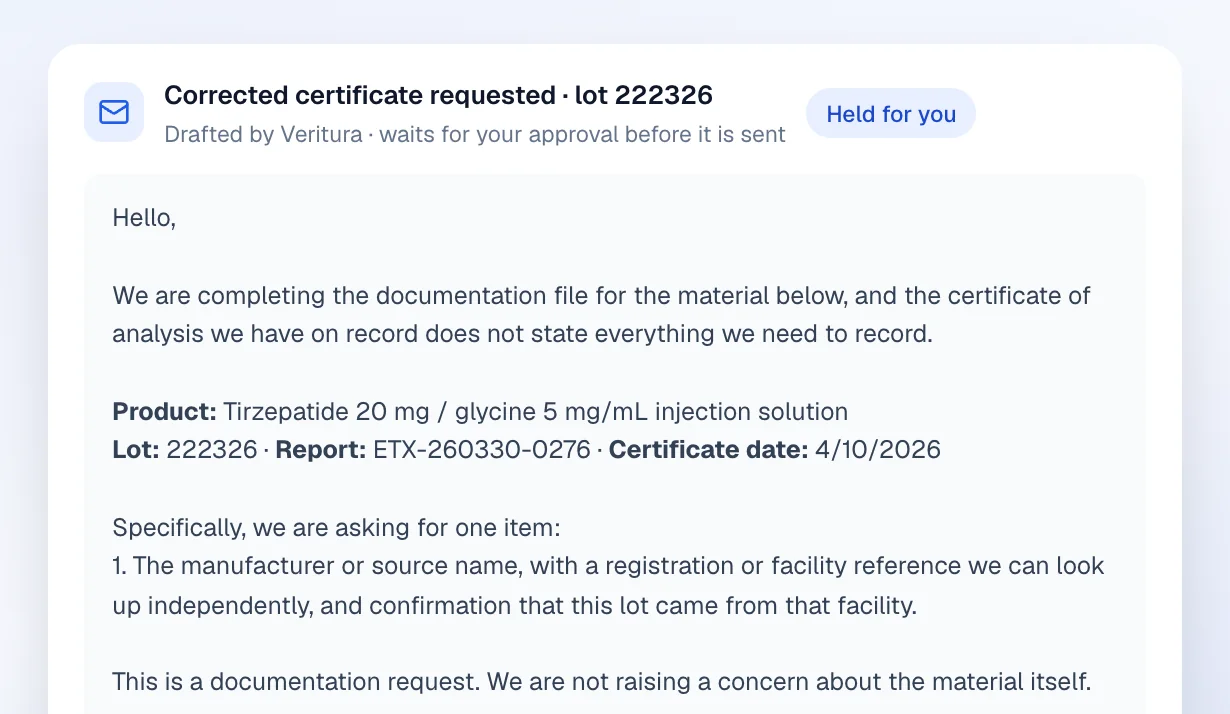
Veritura writes the corrected-certificate request with lot, report and date filled in. A named person approves it. Nothing is sent on its own.
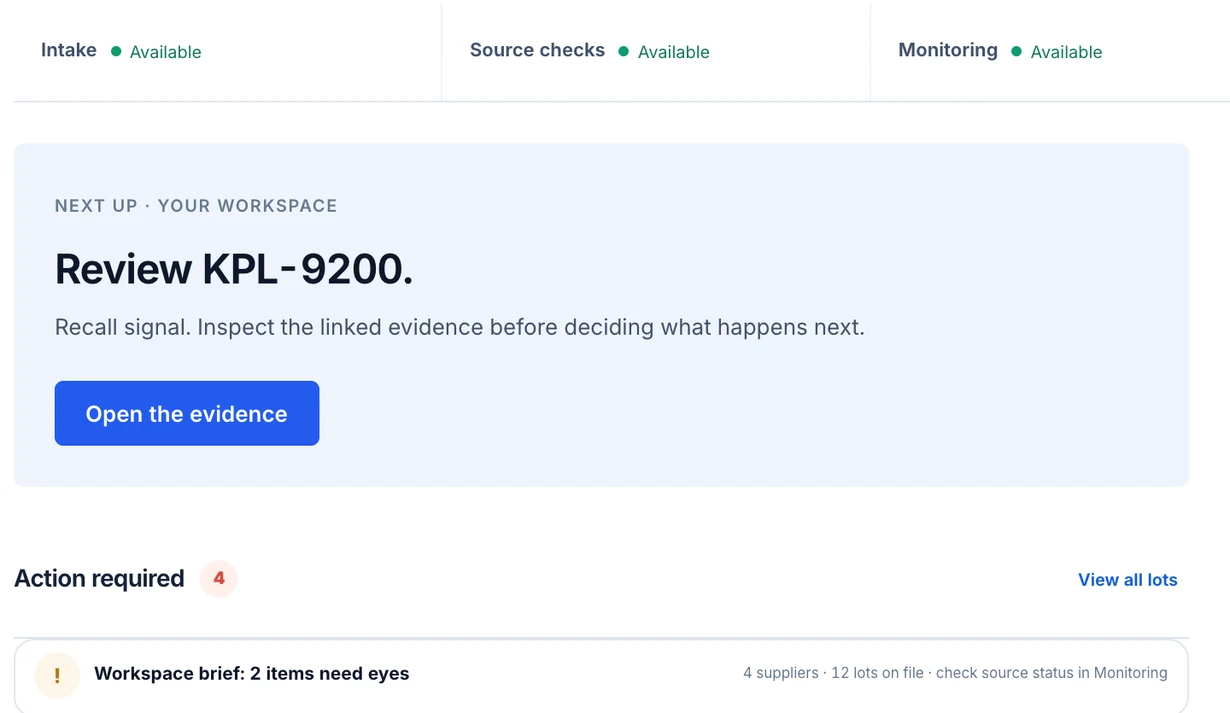
Clean releases, partial quarantines, a label mismatch, and a lot held on a recall signal, waiting for a person to open the evidence.
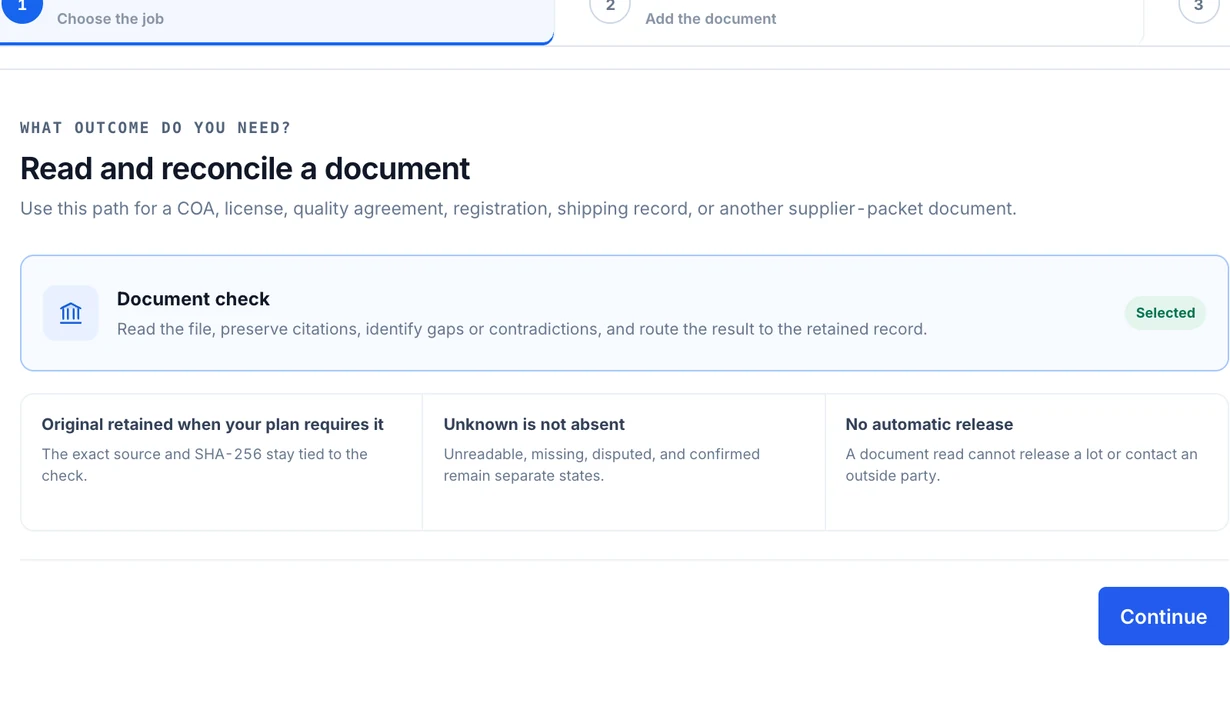
The boundary is printed on the screen: unknown is not absent, and a document read cannot release a lot or contact an outside party.
The offer
The first session reads a certificate from your own shelf. If the record cannot be produced on it, there is nothing to buy. Prices are published at veritura.co/pricing.
Every certificate checked four ways before the lot is released. The lab is asked, the limit is computed, the file is read, the history is compared.
One living file per supplier. The corrected-certificate request is drafted for you and waits for your signature.
Vera reads the day’s evidence while you are closed. Cato inspects the record before an inspector does. Neither can release anything.
A Passport on every cleared order and a patient page with no account, so a recall reaches the vial.
Publish and find suppliers, state a need, follow a source. Free for pharmacies, clinics and patients.
One recurring job per reader. Each page opens on it, then shows the record that does it and the feature by name.
Every shipment, checked four ways, the requests drafted, the pharmacist signing. For 503A pharmacies.
A record of the lot you did not write, and a custody statement per lot. For 503B facilities.
Receive by code, one scan at the chair, a recall that reaches the desk. Free. For clinics.
The same receiving at every site, and a record on the patient’s phone. For med spas.
Proof on every order at fulfilment, partners re-checked, a webhook when a recall lands. For platforms.
Receive a lot and prove its paperwork, on every shipment, with the pharmacist signing.
Prove any lot to any buyer, and know where every unit went.
Answer the questioned order in one lookup, and underwrite partners on evidence.
Know which vial went into which patient, and show the one who asks. The desk is free.
Questions, answered plainly
Veritura is deliberately narrow. Everything below is what the system does and, just as importantly, what it will not claim.
Read the methodologyDocumentation. We read the certificate, compare its claims against the original page, your receiving policy, and named public sources, and record what we found. We do not test, grade, or endorse the medicine itself.
No. Vera reads the packet, drafts a cited finding, and prepares the next action. A named person confirms every material decision, and their signature, reason, and policy version stay on the record.
The gap stays visible. Veritura records what could not be verified and routes the next action, so missing evidence never quietly becomes a pass.
Yes. A cleared order can issue up to 500 unique Evidence Passports and serialized Seals in one run, with duplicate-safe retries and the full delivery trail retained on the order.
Not in the clinic’s or the pharmacy’s record. The clinic’s administration line carries the unit, the lot, the date and the clinic’s own visit reference. A patient who scans the vial can save it to their own space with an email they type themselves; that email lives in the patient’s account, and Veritura never joins it to the clinic’s record. A recall reaches saved vials through the patient’s account and everyone else through the order list the clinic already holds.
Patients and clinics pay nothing: reading the record from the vial, the receiving desk, the recall net and the patient page are free at any number of sites. The operation that reads the paperwork pays: a pharmacy or 503B on Workspace or Operations, a platform on Operations or a quoted scope. The Network is free for everyone. Prices are published at veritura.co/pricing.
Anyone you give the code to. The public page shows what was checked, against what, and who decided, along with the boundary of what that evidence supports.
Go deeper
Field guide
The documents, anchors, and renewal dates an inspector expects to find in one place.
Read moreMethod
The four checks every file passes through, and the exact boundary of each one.
Read morePublic proof
A record built from documentation evidence only, with its limits printed on it.
Read moreFrom supplier packet to public proof, every state stays connected.