Veritura Seal: A serialized QR on the label, so a notice can reach the holder.
Scan the label. Save it for notices.
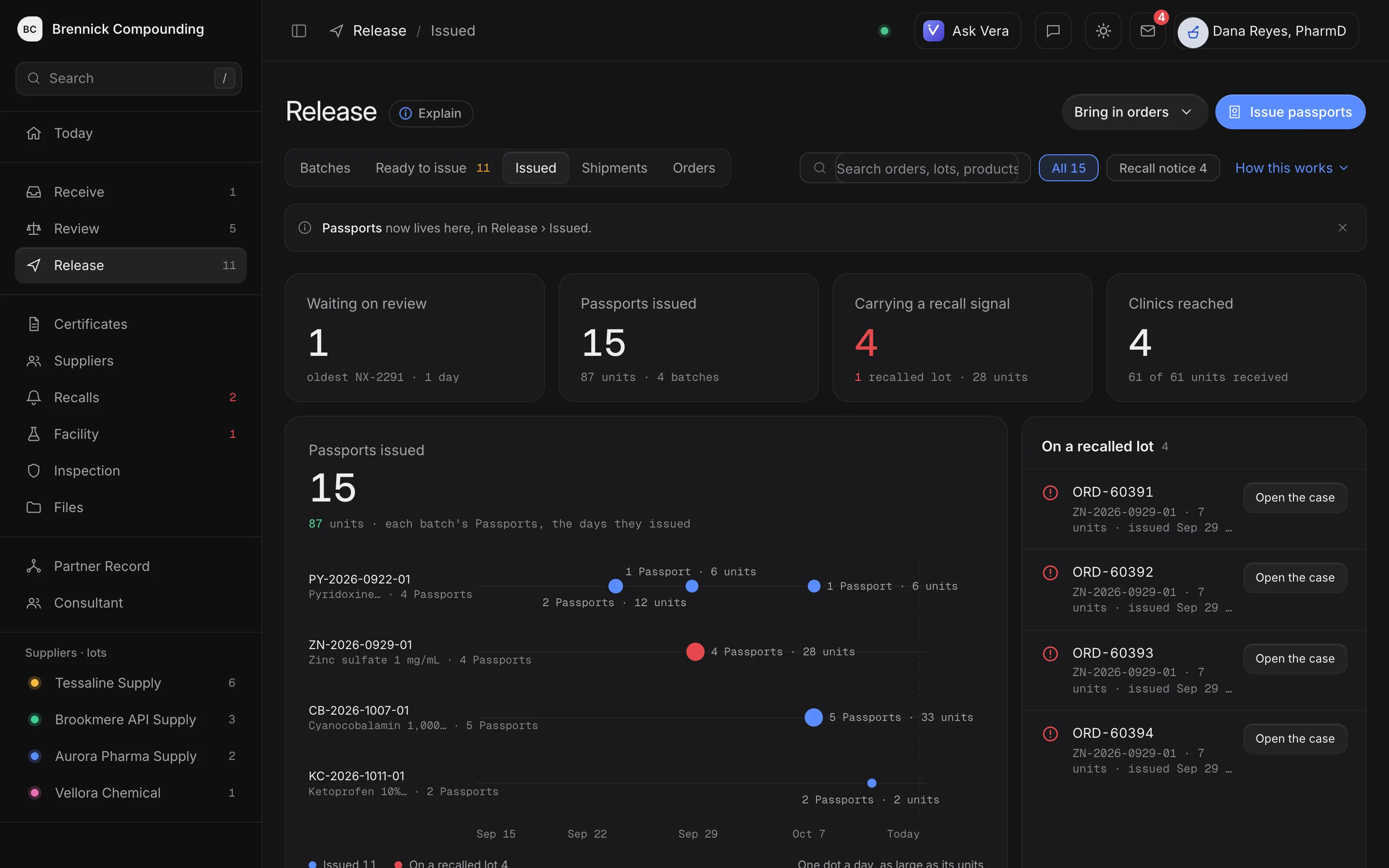
Issued: every Passport, the batch it came from, and the ones a recall has reached. Brennick Compounding is a sample pharmacy; its suppliers, people, lots and figures are invented.
A scan proves the record, not the medicine.
Without it, a recall cannot reach the patients who received a lot. With it, the holder scans, sees the record, and can save it for notices.
Print, pack, scan, notify. The order number does the rest.
A Seal is a serialized QR sticker, one per unit. Its serial, VS-XXXX-XXXX, uses 30 symbols, with look-alike characters removed.
Minted against a lot, then printed.
A sheet of QR labels prints from the record on Avery 5160 or a thermal printer. Every serial is minted, created in the record against a lot, before it prints, so a serial resolves only to a unit a pharmacy minted, and a copied serial shows up as a scan off its path.
- Order-bound Seals carry the order number
- Lot-level Seals for unassigned stock
- Up to 500 Seals per mint
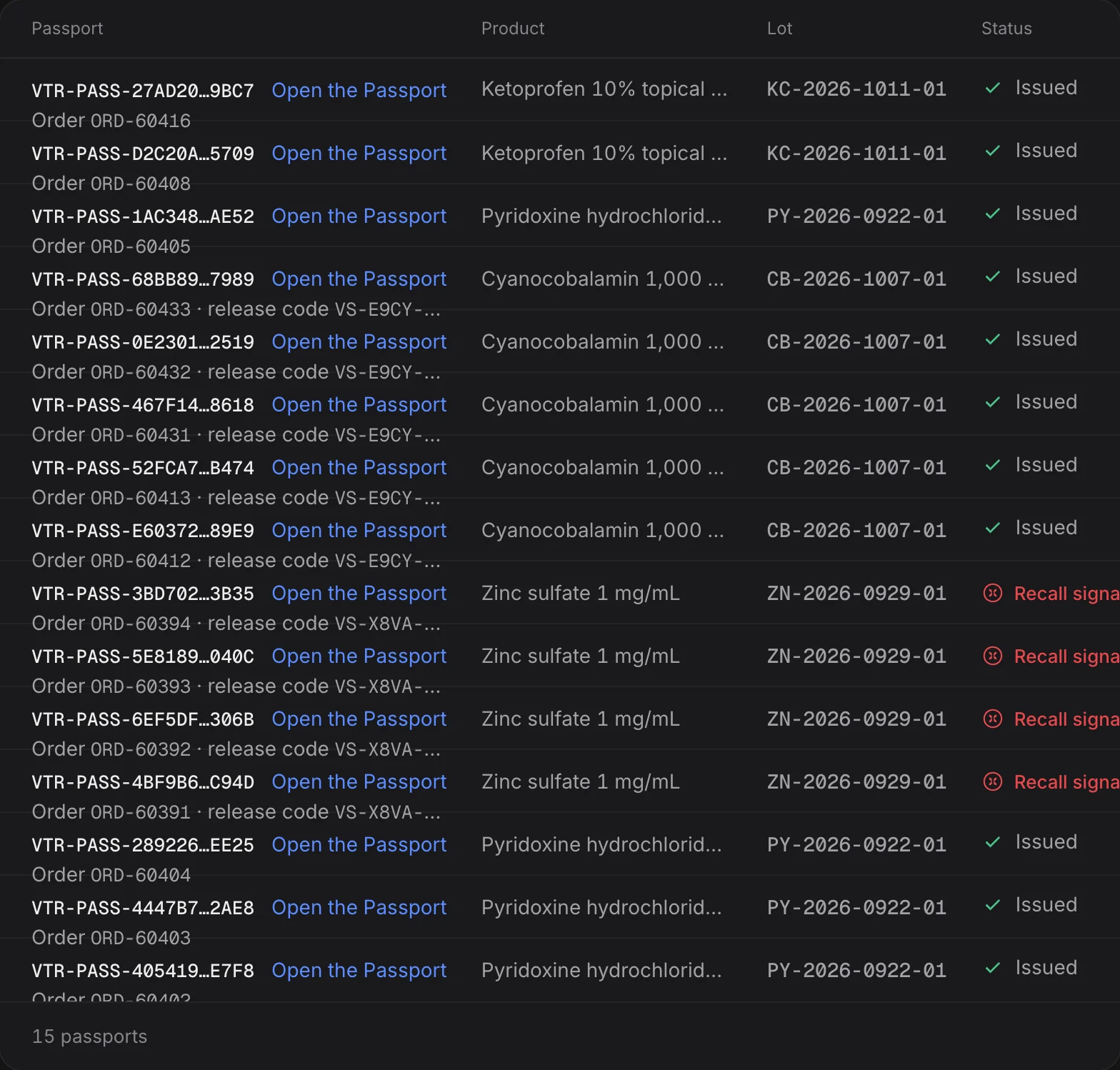
One label per unit, matched at packing.
The sticker goes on the unit going to that order. At packing, the order on the sticker is matched to the order on the packing slip, the same glance you already give the shipping label.
- The order number printed on the label face
- A mismatch visible before it ships
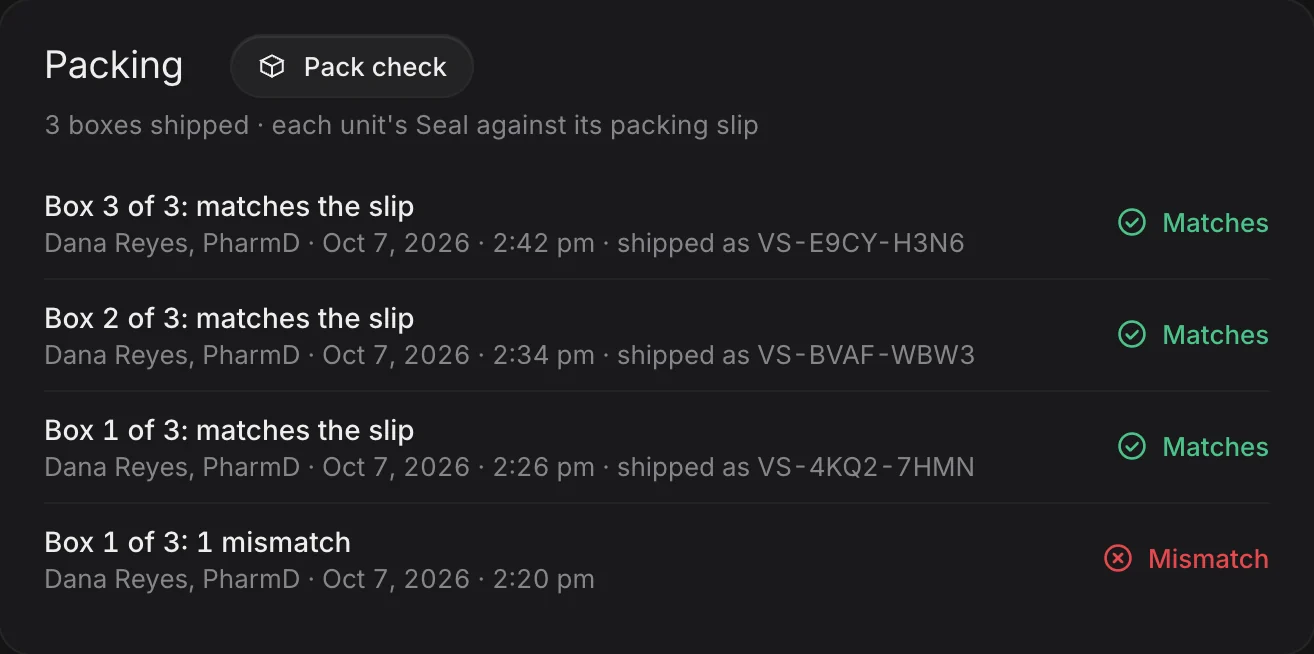
Their own order, in four plain lines.
The QR opens the unit's record: released for their own order number, plus the lot's documented facts. They can save it to their own space with nothing more than an email, which is what makes them reachable later.
- Matched against their own paperwork
- Saved with an email and nothing else
- The email stays in the patient's own account
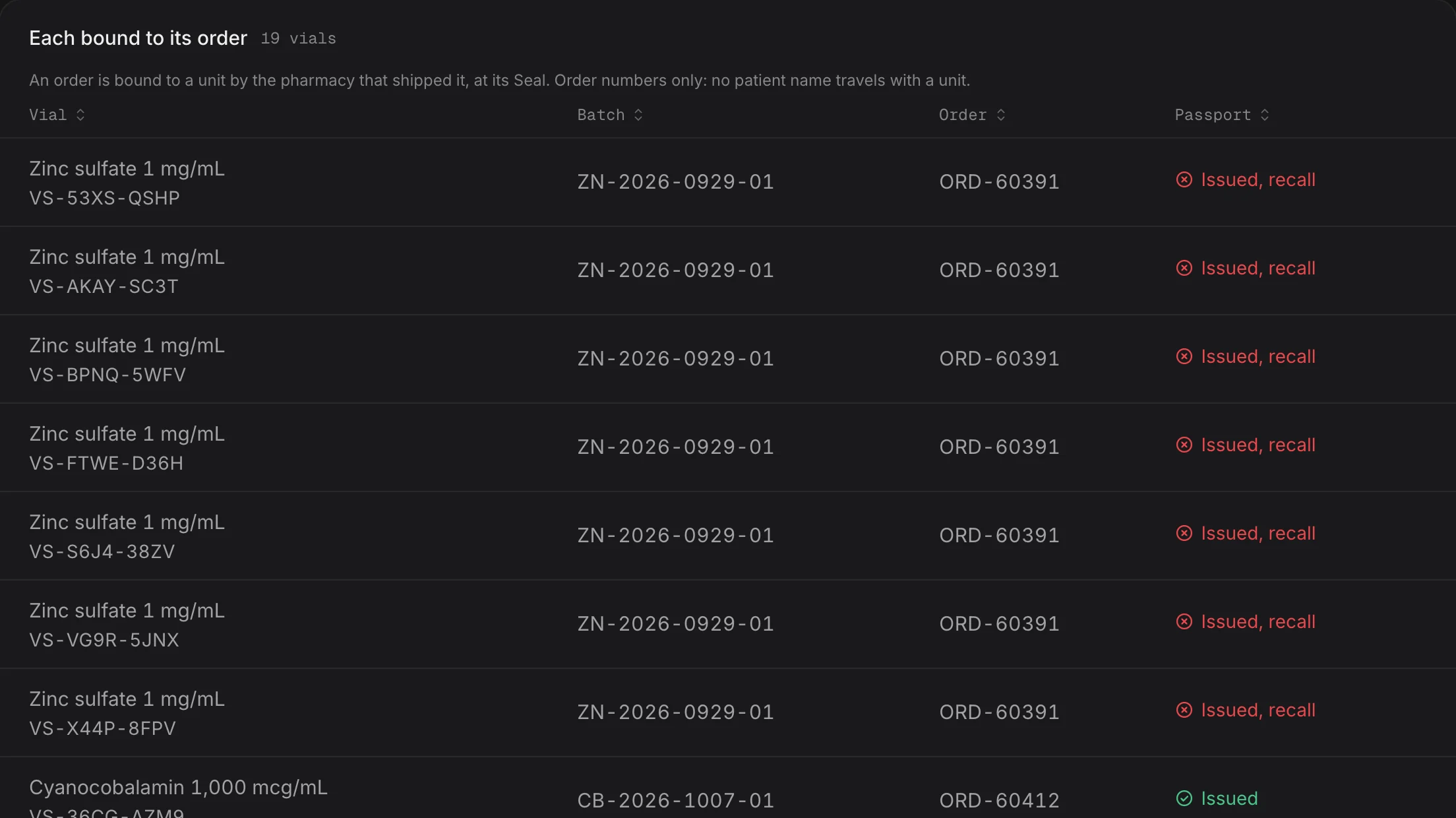
One button, every person who saved one.
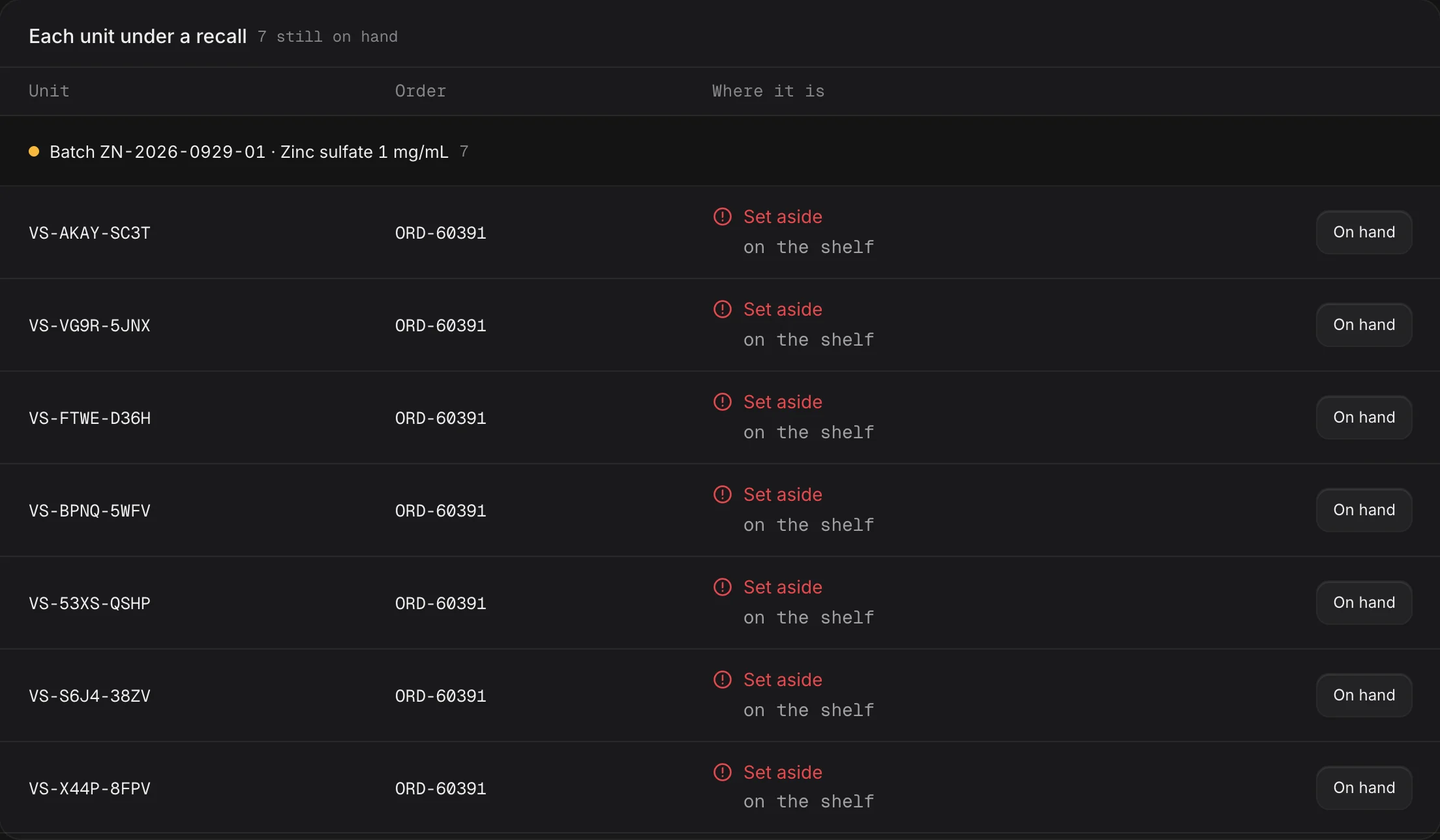
When a person declares a recall on the lot, or presses Notify patients, the notice reaches every person who saved a unit from it, directly and with no name, chart or prescription, and returns the order list for the ones only you can call. A recall that reaches the pharmacy but never the patient is not a recall that worked.
- The count and the notice shown before sending
- One notice per address, linked to its own unit
- A lot notified at most once an hour
No name enters the clinic’s record: a patient who wants to be reached saves the unit with an email they type, kept in their own account. Where the patient’s contact lives
What a scan answers about release. Never a grade.
Scan the QR or type the serial beside it. The page is built to a different rule than the workspace: values and provenance labels only.
The Seal's own order has a released Evidence Passport. The order number is the one the holder matches against their packing slip.
A lot-level Seal, for stock not yet assigned to an order, on a lot with a released Evidence Passport.
No released Evidence Passport for the Seal's order, or for its lot. The page says so instead of implying a release.
A serial that was never issued, or was altered, says so, instead of opening a look-alike record.
Two ways to reach a patient. Pick by what you hold.
An email address, or a label printer. The Evidence Passport is a record you send. The Veritura Seal is a sticker you apply.
A per-order web record, sent as a link. Only a released Passport on a cleared lot sends.
A serialized code on the label itself, one per unit, from a label sheet or a thermal printer.
Your name on the label. No Veritura mark.
Seals at most per mint, bound one to one to your order numbers
label formats: an Avery 5160 sheet, a thermal-roll PDF, or raw ZPL
symbols in the serial alphabet, so a person can type it by hand
people at most can save one printed label, so a copied label shows
Charged once per order, never per unit, label or scan.
What comes off the printer
- Batch size
- Up to 500 serialized Seals per mint, from any lot record or from the API.
- Order-bound or lot-level
- Seals cut from the passport screen carry each unit's order number on the sticker face, bound one to one at mint. Seals cut from a lot are lot-level, for stock you have not yet assigned to an order: minted free, and charged at the same per-order price when a label is bound to an order, never twice for the same order.
- Label formats
- Avery 5160 PDF, thermal-roll PDF, raw ZPL.
- Label geometry
- 2.25 by 1.25 inches at 203 dpi. The QR is the printer's own symbol, at a magnification that clears the quiet-zone requirement on all four sides.
- Direct to printer
- Port 9100 or a raw print queue, no driver in between.
- Serial shape
- VS-XXXX-XXXX, from a 30-symbol alphabet with 0, O, 1, I, L and U removed, collision-checked against every serial already issued and against the batch's own output.
- Typed by hand
- Case and dashes are tolerated; a character outside the alphabet is a typo, never guessed at.
- Top line on the label
- Your operation's own name, shown as Dispensed by on the public scan page. No Veritura mark goes on the label.
Every state the scan can report 6 states
- This medicine is on record
- The serial resolves to a unit the dispensing pharmacy recorded, with the product, the supplier and the batch. Under it, one release answer: Released for this order, Released for this lot, or Not yet released.
- There is a notice on this batch
- A recall notice, or an unresolved finding on the batch's documentation. The page routes the holder to the pharmacy, and still gives the release answer.
- This serial does not resolve
- We have no record of this unit serial. It may have been mistyped, never issued, or altered.
- Could not verify right now
- The lookup itself did not complete. The page says so and asks you to try again shortly. It does not fall back to any other state.
- This is a test label
- A label printed from a sandbox workspace for testing. It is not on a dispensed unit and has no public record.
- Verified unit
- A Passport's own unit serial, not a Seal: it resolves to the lot it was bound to at issue, with the product, the supplier and the lot, and reads Verified unit, released lot once its Passport is released.
What the scan page shows, and leaves out
- The notice line, above everything
- It states either that no recall notices affect this lot's record, or the detail of the notice that does. It carries no status colour, because a notice on a lot's paperwork is neither an evidence posture nor a policy decision on that lot.
- The release answer
- Released for this order, Released for this lot, or Not yet released, as the parent Evidence Passport says. On an order-bound Seal the order number leads, because it is what turns this from a unit of this lot into the unit released for their order; the holder matches it against their own packing slip.
- Product, supplier and lot
- The identity of what shipped, recorded by the dispensing pharmacy. Only parties the paperwork names appear here.
- Documentation on file
- The substance and the lot, then the values transcribed from the documentation, each framed as a statement on the document rather than a determination about the medicine. Identity leads, never as a lab identity determination.
- Backed by Evidence Passport
- When the lot has a released production Evidence Passport with a public verify link, the scan carries its reference and a link to the signed record. Sandbox passports, unreleased statuses, and passports with no public link never produce that chip.
- What is deliberately absent
- No report ids, no file names, no paths and no hashes. The certificate itself stays with the pharmacy, and the footer says so and tells the reader to ask them for the original.
Saving a unit, and what stops a label being farmed
- The claim
- An email is entered. The claim starts at pending_confirm and only the emailed link activates it. Confirm and unsubscribe are both idempotent, because an emailed link gets clicked twice.
- Per serial
- At most five live claims may exist on one printed label. A real household is a handful of people; more than that is scripted abuse or a copied label. An opt-out frees the slot.
- Per email, per day
- At most ten save requests from one address a day, counting every request regardless of status, so an opt-out never refunds the daily budget.
- Two live claims on one serial
- Surfaced as the same-seal-claimed-twice signal of a re-used or copied label. A signal for review, never an accusation.
- The free patient space
- The free home for every unit a patient saves: current record status and notice history, in one place. It stores only their email, their saved serials and their record notices.
When a notice reaches the lot
- The list builds itself
- Every active claim across all Seal batches of that lot, deduped case-insensitively so one email gets one notice, each linked to that person's own unit page.
- What the notice says
- That the documentation record changed, and to contact their pharmacy or provider with any medication question. It is never a safety or quality determination.
- It fires when a person decides
- Declaring a recall on the lot emails every patient who saved a unit from it and every clinic desk on Veritura holding it; the Notify patients button on the Seal panel does the same. An FDA match alone is a signal a person judges first.
- Before anything sends
- The button states how many patients will be emailed and what the notice will say. A lot can be notified at most once an hour.
- The notice history
- Stores serial, lot, subject and time, never the email, so the table cannot leak who was notified.
- Rehearse it
- A recall drill, run through the API, traces every order that shipped from this lot, every serialized unit, and how many patients saved theirs and are reachable, through the same computation a live recall signal uses.
- The Seal panel
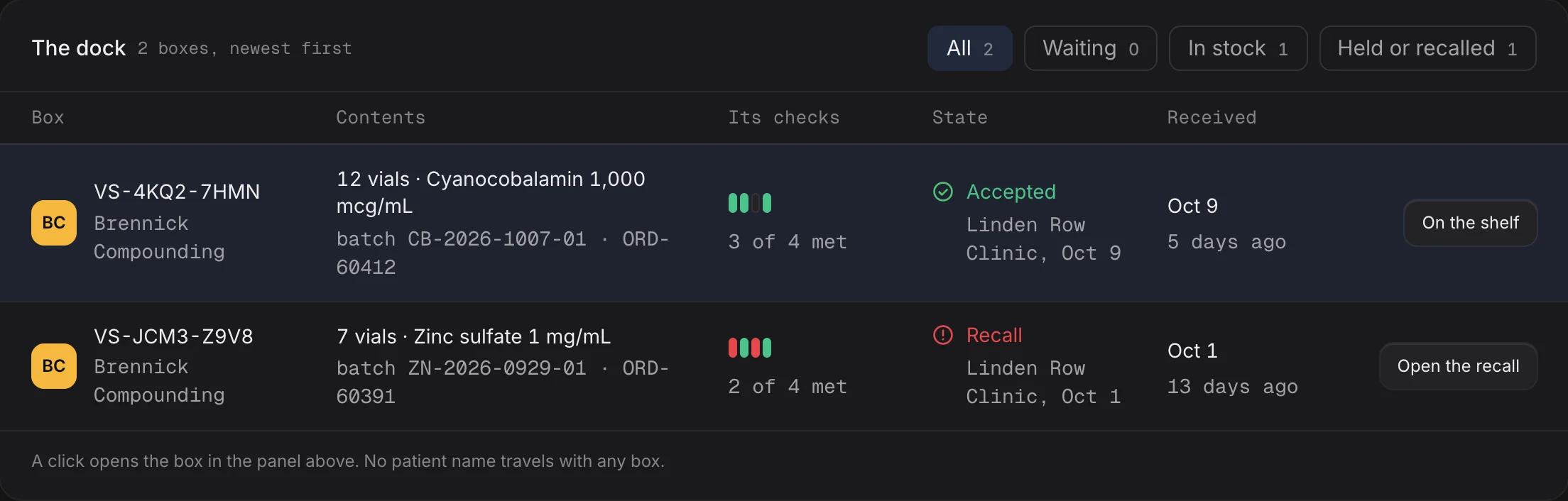
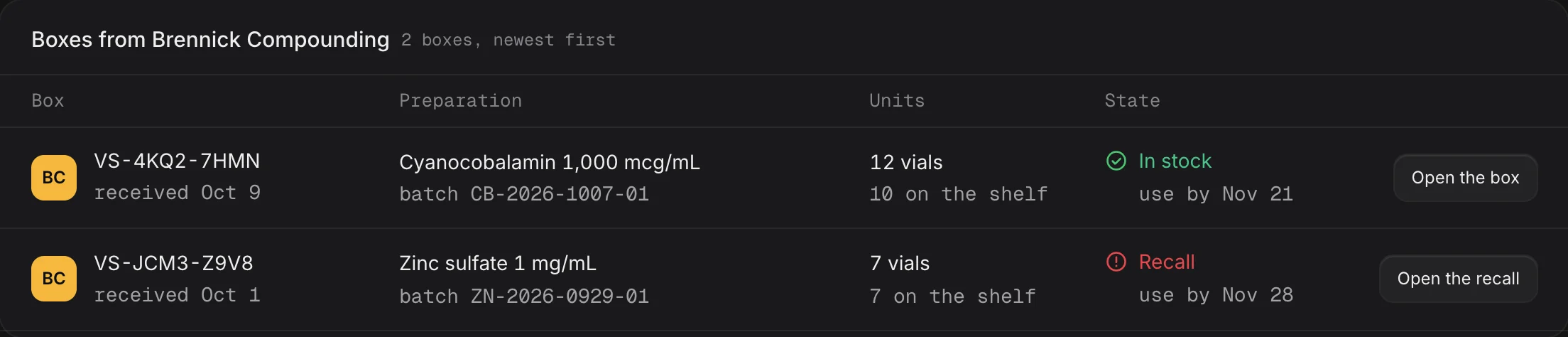
- Every lot carries the count of Seals minted, the count saved by patients, and when that lot was last notified.
Two products, two ways to reach a patient
- You have the patient's email
- Evidence Passport, by email: a per-order web record sent as a link. Nothing is printed and nothing goes in the box.
- A QR printed on the label
- The Veritura Seal: a serialized code on the label itself, one per unit, from a label sheet or a thermal printer.
- Two products
- The Evidence Passport is a record you send. The Veritura Seal is a sticker you apply. They are separate products that happen to describe the same lot.
Print Seals from your own system
POST /v1/seal-batches- Mints up to 500 serialized Seals for a lot, optionally bound one to one to your order numbers.
GET /v1/seal-batches/<id>/labels- Returns the labels as
format=avery|thermal|zpl: Avery 5160 PDF, thermal-roll PDF, or raw ZPL for a networked label printer. Same plan entitlement as sealing from the dashboard. - A Seal and its Passport
- A Seal for an order whose Passport exists requires that Passport to be released; a Seal for an order with no Passport says so on its page and claims no release.
Provenance verification only. A serial that was never issued, or was altered, does not resolve. Veritura verifies documentation, never the product, and does not test medicine, approve suppliers, recommend purchases, or make medical, legal, product-safety, or FDA-approval determinations.
Questions, answered plainly.
That the unit is bound to a real, released lot from a named source. It confirms the provenance of the paperwork, not the physical product, and the page says so in plain language.
No. The order number printed on the sticker is the join. A patient who wants to be reached saves the unit with an email they type themselves, kept in their own account until they delete it; no patient name, chart or prescription enters Veritura.
When a person declares the recall or presses Notify patients, every person who saved the unit from the lot is reached directly, at most once per lot an hour, and you get the order list for the ones only you can call.
Still have questions? Talk to a person.